
TurboDyne Build Accelerator for faster C++ builds
Speed up your c/c++ builds with distributed compilation across your developer workstations and servers.
3.5 times faster real-world speed improvements
Turbo boost your builds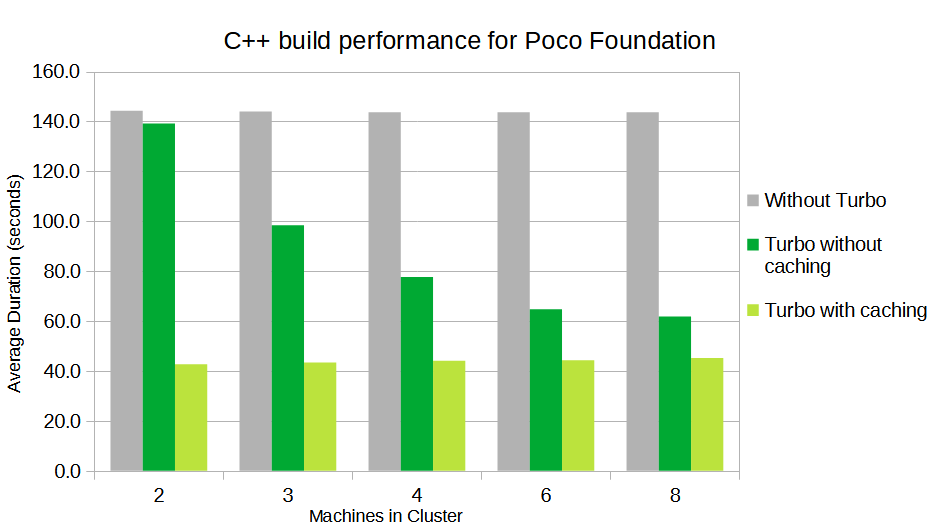
About TurboDyne Build Accelerator for C++
Tired of waiting for your c++ compiler? Improve Developer productivity by using TurboDyne Build Accelerator to distribute your compilation across all the Developer Workstations and Servers in your network. 3.5 times faster real-world speed improvements.
-
Leverage all the machines in your Network
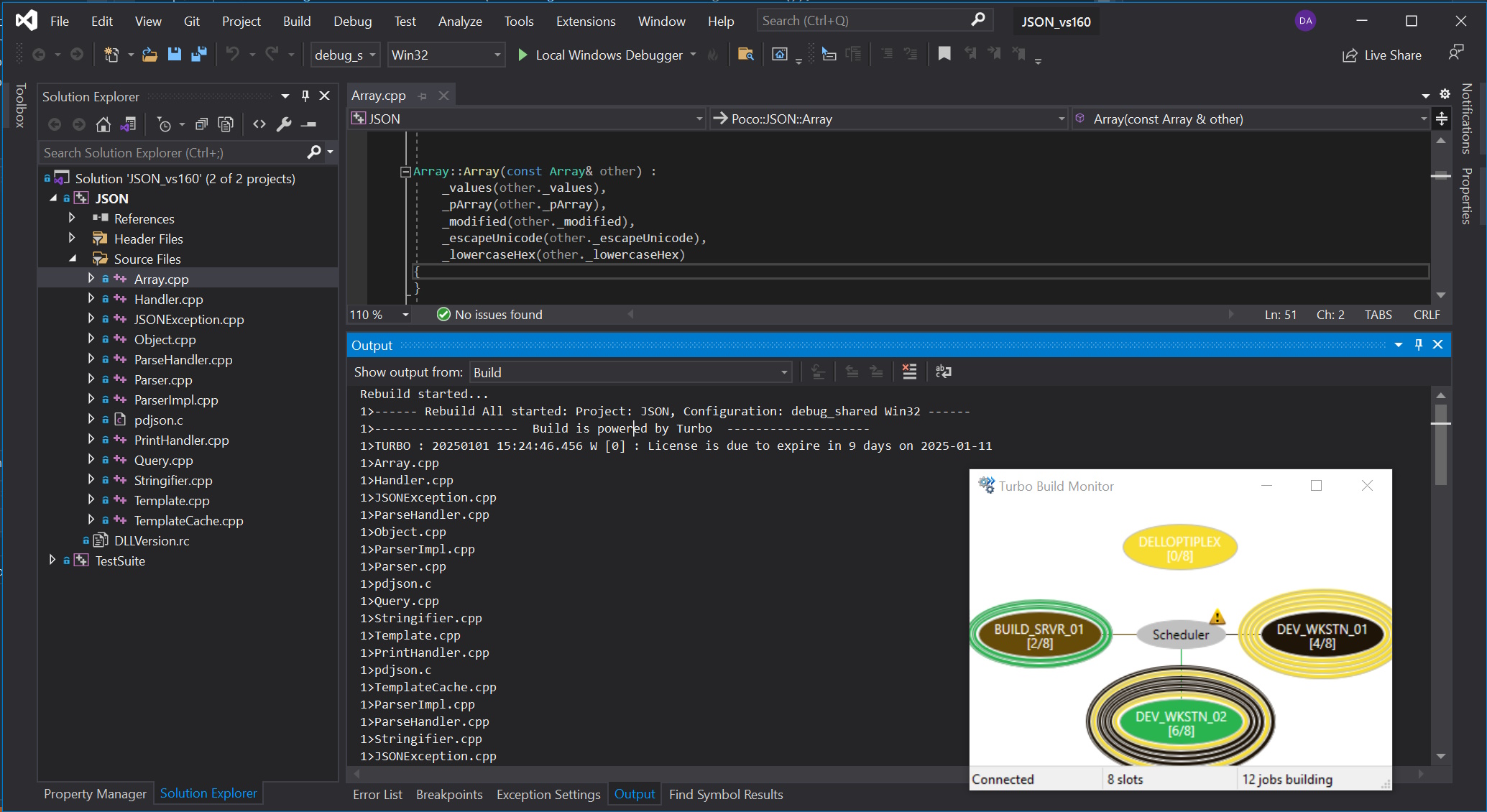
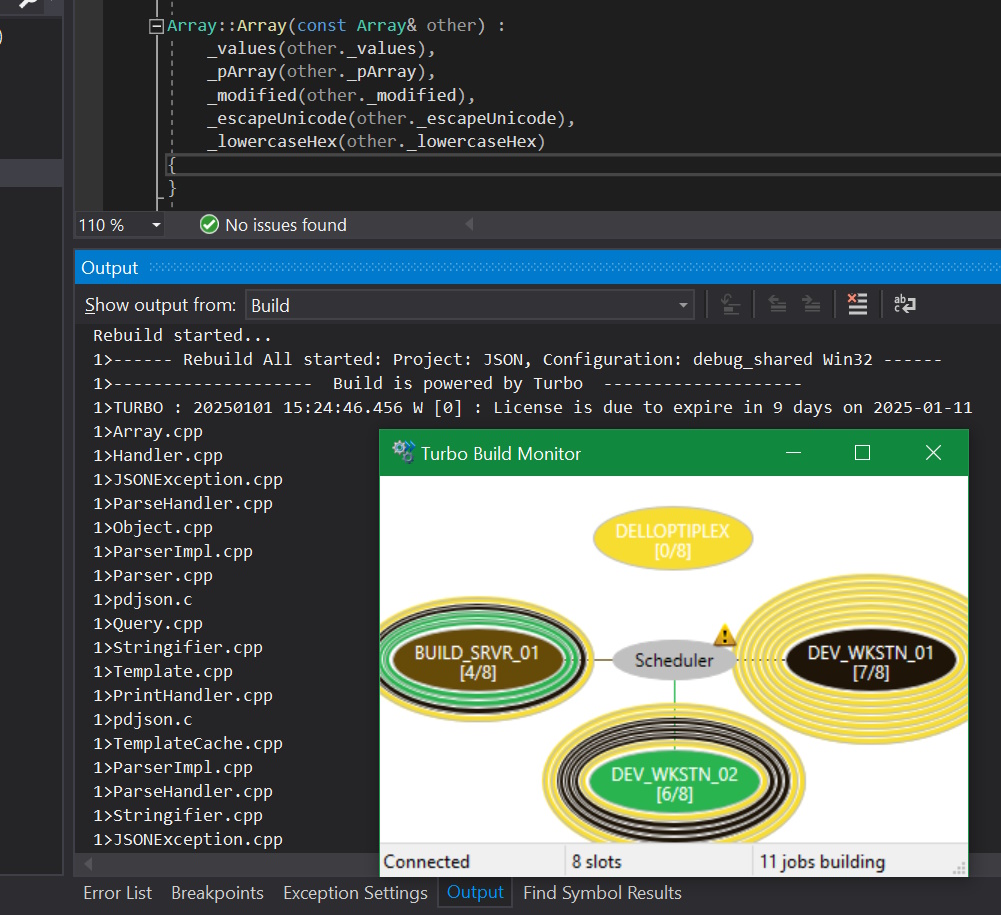
Compilation workload is distributed by the TurboDyne Scheduler to all your machines. No wasted CPU cycles in idle computers. Simply install the TurboDyne Agent on each participating machine to create your Build Cluster.
-
Seamless integration of your builds within Microsoft Visual Studio
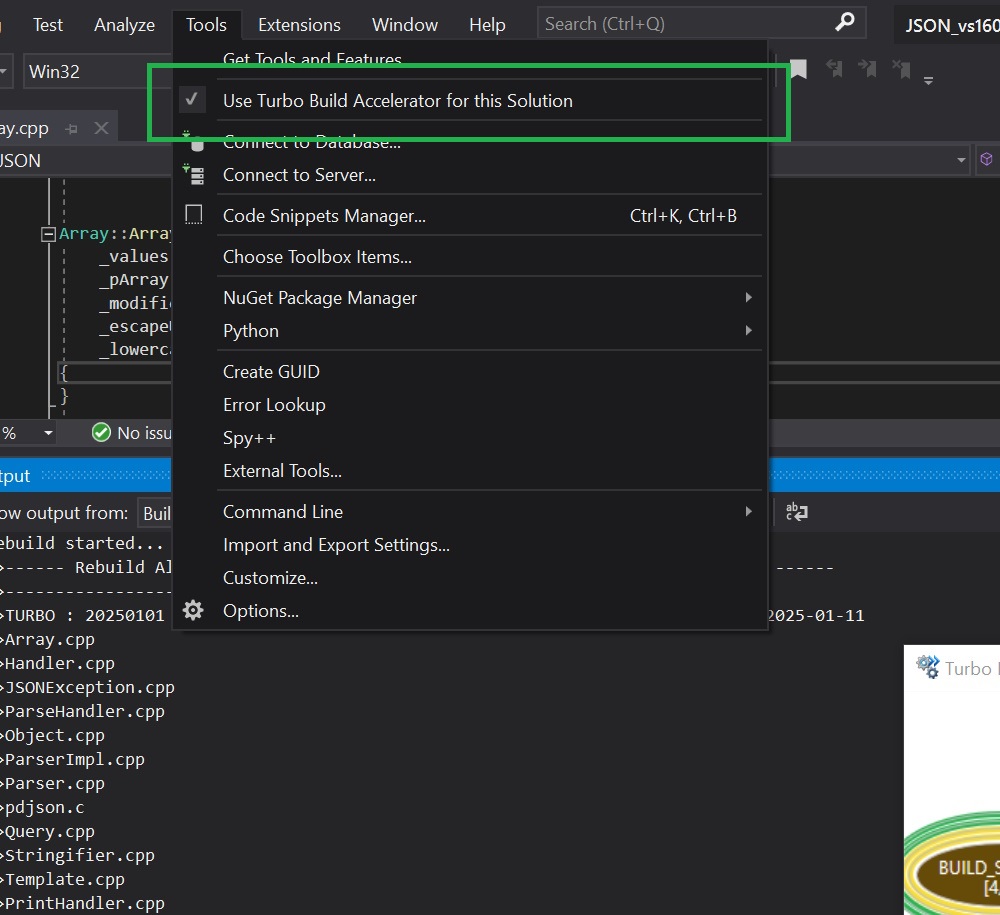
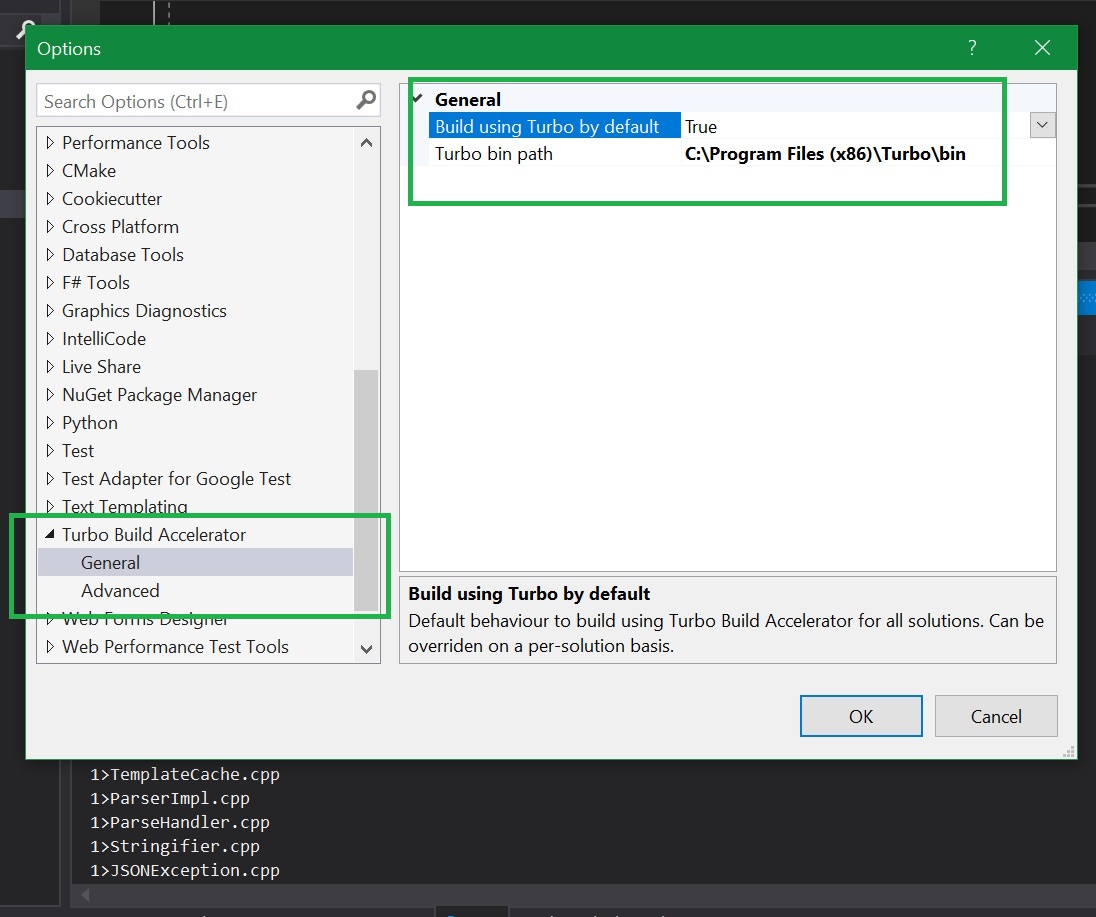
The TurboDyne integration Add-In provides a simple way to utilise TurboDyne for building your Visual Studio Solution (and VSCode). No need to re-tool your Project files. Also supports seamless builds from the command-line using msbuild.exe.
-
Easy installation, straight-forward pricing
Download the installer, and a trial license. Supports installation on a single machine to get started with zero configuration. With simple licensing and prices for each extra CPU Slot you can easily add more machines to your build cluster to increase its capacity.
For more details see the Overview.
Download the installer, and a trial license and get started today.
Features
- Seamless building from Visual Studio IDE and msbuild.exe command-line tool
- Fully supports the new Microsoft Visual Studio 2026
- The Scheduler monitors and allocates compilation workload across the Build Cluster
- Simple installation (can create its windows services and firewall rules)
- Minimal configuration
- Supports builds from Visual Studio 2019 onwards
- Supports building with the Clang compiler within Visual Studio Projects
- Supports builds from Visual Studio Code
- Cluster supports concurrent builds from multiple machines
- Individual machines can initiate concurrent builds
- Visual Studio Integration Add-In for VS 2019 onwards
- View the Cluster workload from the TurboDyne Monitor application
- Support the caching and re-use of build results (c++ object files) for even faster builds
- Support for Unicode character-sets (in OS filenames, paths etc...)
- Small footprint (typically 25MB for an Agent service)
- Supports the use of "CMake" Visual Studio Projects including the Ninja tool
- Fully "Offline" - No communications to outside of your network - No risk to your source code (Intellectual Property)
Pricing
Subscription
£6 (GBP) per CPU Slot per month
- Subscription available as Monthly, 3-Monthly, 6-Monthly, 12-Monthly
- 3-Monthly has a 5% discount compared to Monthly
- 6-Monthly has a 7.5% discount compared to Monthly
- 12-Monthly has a 10% discount compared to Monthly
- Easily manage payments using Paypal Subscriptions
- Flexible. You have the option to cancel or suspend the subscription at end of every billing cycle
Frequently Asked Questions
What compilation performance acceleration can I expect ?
Many factors can influence this such as size of VS Project, size of Build Cluster, number of CPU Slots on the initiating machine, Cluster workload, debug vs release mode, etc...
See real-world improvements of 3.5 times faster. Read more here
Can Developer workstations be in the TurboDyne build cluster ?
Yes. The TurboDyne Scheduler will be aware of the workload on each machine and will only assign compilations to it if there is capacity. This ensures your developer machines do not get overloaded.
You can also configure the number of CPU Slots on each Agent.
What are "CPU slots" ?
Each machine in the build cluster has a TurboDyne Agent service running. The Agent can execute X parallel compilations, where X is the number of "CPU Slots". For example, if the machine has 4 cores and hyper-threading it will have 8 logical processors and you would typically assign 8 CPU Slots to this Agent.
Do I have to change my Visual Studio Solution files to build them with TurboDyne ?
The TurboDyne Visual Studio integration Add-In gives a simple method to select TurboDyne build support when building the loaded solution. No manual changes required to project files. Unlike some build clusters there is no need to change your build toolchain when using TurboDyne.
How do I add more capacity to my build cluster?
A simple process for purchasing more CPU slots on your existing license. We will pro-rata the extra CPU Slot price to reflect the remaining time on your license. A new license will then be issued to reflect the increased CPU Slot total.
Can I still use CMake?
Absolutely. CMake generates Visual Studio Projects and Solutions. Those Solutions can then easily be configured to utilise TurboDyne for their builds via our VS Add-In.
Can I still build if the Cluster becomes unavailable?
Working from a cafe? Bad wifi? No problem, TurboDyne will automatically fail-over to building locally on your developer workstation.
Does TurboDyne work on Linux ?
At present TurboDyne is only available on the Windows OS and with Visual Studio Solutions (and Projects).
Does TurboDyne Build Accelerator have any relation to Borland Turbo C compiler ?
No, they are un-related. TurboDyne is a Build Cluster, not a compiler. It is designed to work with Microsoft Visual Studio and VSCode IDEs and the msbuild system. It can build with the Microsoft compiler cl.exe and also Clang-cl.